
How To Connect Your Credit/Debit Card To Google Pay & Apple Pay For Easy Crypto Purchases On Bitget

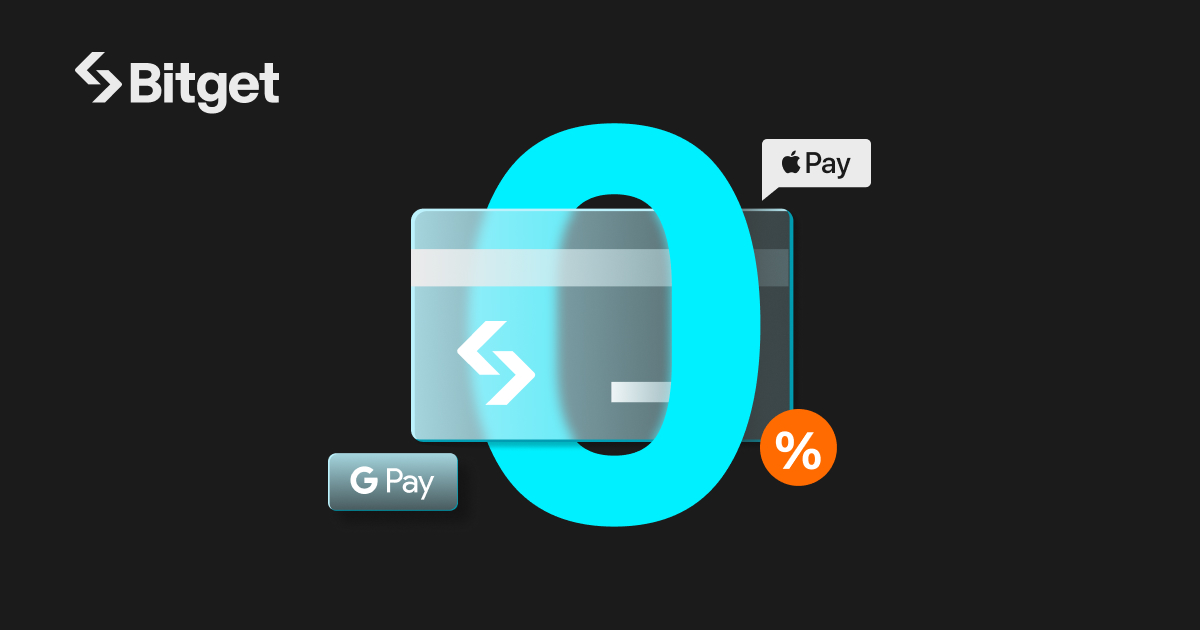
Crypto trading should be straightforward, and Bitget is making that possible by integrating Google Pay and Apple Pay into its platform. Now, you can easily bind your credit or debit card to these payment systems, streamlining your cryptocurrency purchases. This guide will walk you through the steps to bind your card to Google Pay and Apple Pay on Bitget, making your transactions faster and more secure.
Why bind your card?
Binding your card to Google Pay and Apple Pay eliminates the hassle of manual entry every time you buy crypto. Here are the benefits:
• Effortless transactions: Make quick purchases without manually re-entering your card details.
• Advanced security: Benefit from the robust safety features of Google Pay and Apple Pay that protect your payments.
• Multiple fiat currencies: Use your local currency to buy from a wide range of cryptocurrencies.
Let’s dive into the setup process.
Step-by-step guide to binding your card on Bitget
On The Bitget website
Step 1: Head to the Bitget website and log into your account. If you're new, signing up is quick and easy. Then, navigate to the Buy Crypto tab on the main page and select Credit/Debit Card as your payment method. Important: Ensure you complete the identity verification process beforehand to avoid payment issues.

Step 2: Choose your preferred fiat currency and the cryptocurrency you want to purchase. Enter the amount and proceed.

Step 3: After selecting the amount, you’ll be prompted to bind your Google Pay/Apple Pay account to Bitget. Important: If you’ve used these services before, your information will be saved for future transactions.


Step 4: Review your transaction details and confirm the payment. Prices are updated every 60 seconds, so confirm promptly.

Once initiated, you'll see a Payment Pending notification. Important: Processing time may vary based on network conditions.

On the Bitget app
Step 1: Open the Bitget app and log into your account or create a new one. Important: Complete your identity verification to prevent issues.

Step 2: Tap on Add Funds and choose Credit/Debit Card as your payment method.
Step 3: Select the cryptocurrency you want to buy and enter the amount, then proceed to bind your card.

Step 4: Tap on Add New Card to bind your Google Pay/Apple Pay account to Bitget. Important: If you’ve previously used these services, your account info will be saved for future purchases.

Step 5: Double-check your transaction details and confirm the payment. Important: Once initiated, transactions may take a few minutes to process, so refrain from refreshing or exiting the page until you receive confirmation.

Benefits of using Google Pay and Apple Pay on Bitget
By binding your credit/debit card to Bitget, you’ll enjoy several perks:
• Fast and easy transactions: Skip the hassle of re-entering card details for each purchase. Just confirm the payment and go.
• Secure payments: Both Google Pay and Apple Pay provide strong security measures, including biometric authentication and encryption.
• Fiat currency support: Bitget allows you to use multiple fiat currencies, making it easy to buy crypto using your local currency.
Additional tips
• Complete verification: Ensure your identity verification process is complete on Bitget before binding your card to avoid payment issues.
• Keep apps updated: Regularly update Google Pay and Apple Pay to access the latest features and security enhancements.
• Wait for confirmation: After making a payment, wait a few minutes for confirmation. Avoid refreshing or exiting the page until it's complete.
Now that your card is bound to Google Pay and Apple Pay, you're ready to enjoy fast and hassle-free crypto transactions on Bitget. Happy trading!
 2024-11-01
 How to Buy Crypto with PIX on Bitget
 FiatHow Much Is 1 Bitcoin in Naira Today? (Live BTC/NGN Rate on Bitget)Bitcoin's price in Naira changes every minute, driven by global market movements, USD/NGN exchange rates, and local demand. Whether you're planning to buy, sell, or simply track the value of your holdings, knowing how to find the live BTC/NGN rate matters. This guide explains how to check the current Bitcoin price in Naira on Bitget, what determines the rate, and how to get the best BTC/NGN exchange rate when converting. What Is 1 Bitcoin Worth in Naira Right Now? Bitcoin does not have a single2026-05-04
 FiatHow to Convert Bitcoin to Naira on Bitget in NigeriaIf you hold Bitcoin (BTC) in Nigeria and want to cash out to Naira, Bitget makes it fast and secure. Using Bitget P2P, you can sell BTC directly to local buyers who pay you through OPay, PalmPay, bank transfer, and other popular Nigerian payment methods, no middlemen, no delays. This step-by-step guide covers exactly how to convert Bitcoin to Naira on Bitget in Nigeria, from transferring your BTC to receiving NGN in your bank account or mobile wallet. What You'll Need Before You Start - A Bitg2026-05-04
 FiatHow to Convert USDT to Ethiopian Birr (ETB) on Bitget P2P (Telebirr, CBE & More)Ethiopia is one of Africa's fastest-growing crypto markets. After the Ethiopian birr lost nearly 30% of its value, millions of Ethiopians turned to stablecoins like USDT to preserve their savings; driving a 180% year-on-year surge in retail stablecoin transfers. If you've been buying USDT on Bitget and now need to convert it back to birr, this step-by-step guide walks you through how to sell USDT for ETB on Bitget P2P using Telebirr, CBE Birr, Amole, HelloCash, and other Ethiopian payment method2026-04-21