Product updates
How to sign up for a Bitget MT5 account?
2025-12-12 05:13226731
Before you can trade on Bitget MT5, you'll need to create an MT5 account linked to your Bitget account. Here are the steps to create and activate it.
Step 1: Go to the MT5 sign up page
Open the MT5 page on Bitget. Click the Sign Up Now button to start setting up your account.
Note:
-
If you don't have a Bitget account, click Sign Up on the page and follow the instructions to create a new account.
-
If you already have a Bitget account but aren't logged in, log in first to create an MT5 account.
Step 2: Create your MT5 account
After logging in (if needed), return to the MT5 page and click Create Bitget MT5 Account to proceed.
Step 3: Read and accept the Terms and Conditions
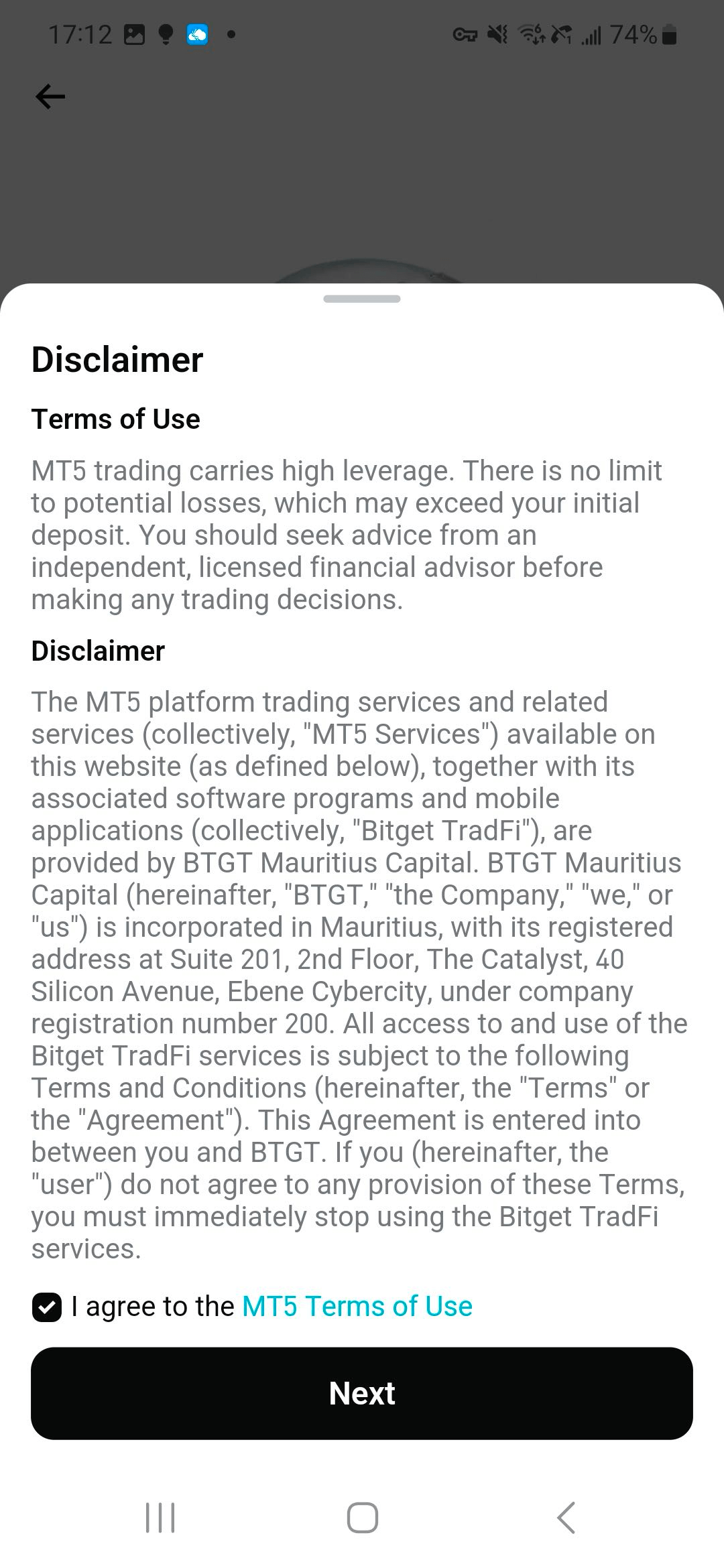
A detailed Terms and Conditions dialog will appear. Carefully review the terms to ensure you understand your rights and obligations. When done, check the box to confirm your acceptance of the Terms and Conditions and click Next to continue with the signup process.
Step 4: Set your MT5 main password
Set a main password for your Bitget MT5 account. The main password gives you full control of your trading account, allowing you to open, close, and manage positions. Make sure you enter the same password in both fields.
Password details:
-
Based on the type of password you enter on the MT5 login page, MT5 provides two different account permissions:
-
Main password : Grants you full control over your trading account, allowing you to carry out all trading activities. To keep your account secure, we strongly recommend setting a strong password and never disclosing it to anyone.
-
Investor password : Grants read-only access to your trading account, with trading disabled under this permission. Once you successfully activate your Bitget MT5 account, the system will automatically generate a random investor password.
-
-
Creating a Bitget MT5 account requires completing identity verification. If you have not yet completed identity verification, a prompt will appear to guide you through the verification process.

Step 5: View your MT5 account details
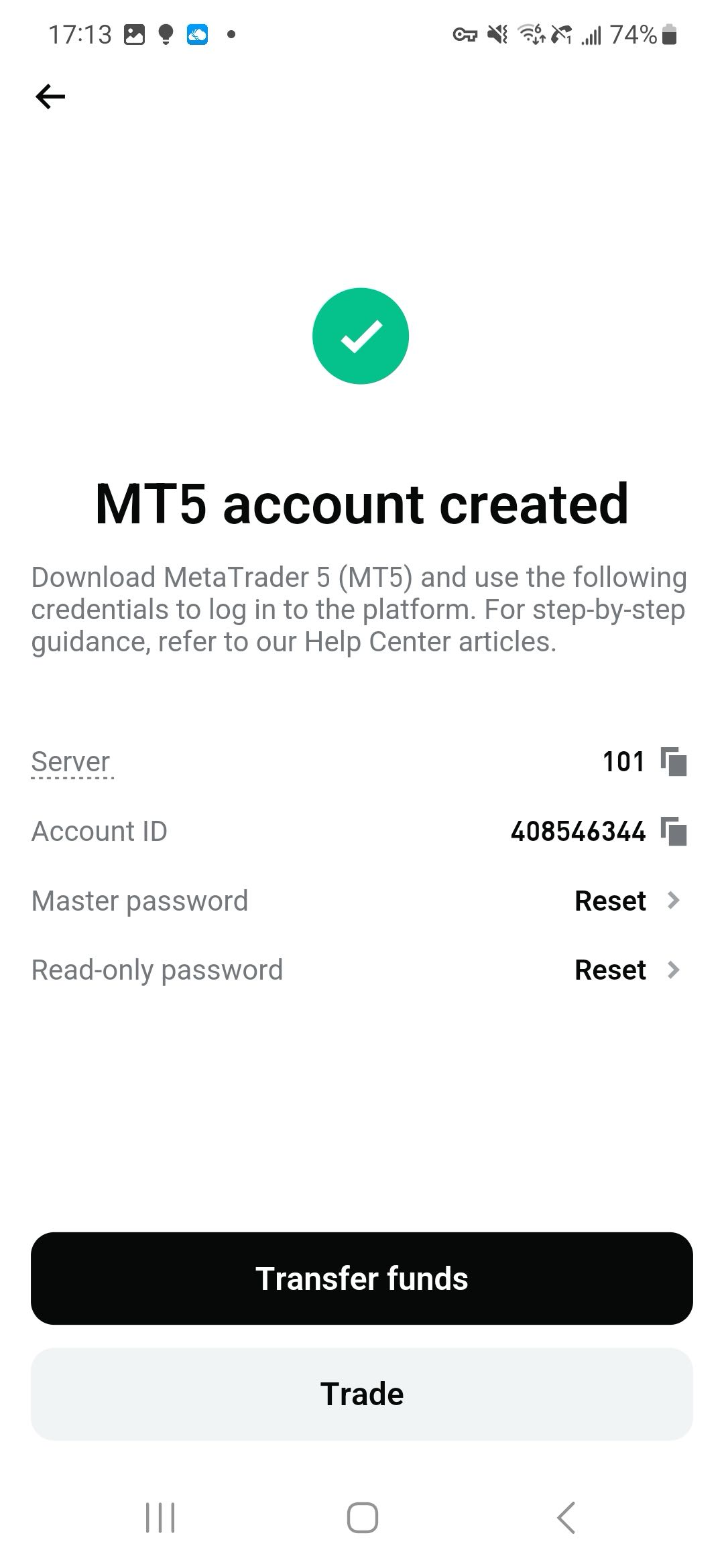
After completing the previous steps, the system will automatically generate your MT5 login ID and investor password. A window will then pop up, showing your MT5 account information, including your login ID, investor password, and other details.
Note:
-
Be sure to write down your investor password and keep it in a safe place to avoid losing or forgetting it.
Step 6: Access the MT5 dashboard and start trading
Click the Go to My Trading Dashboard button, and the system will automatically redirect you to the Bitget MT5 dashboard. Follow the instructions to deposit funds into your Bitget MT5 account. Once your deposit is complete, you can start trading on Bitget MT5.
Your Bitget MT5 account has now been successfully created! We wish you great success in your trading journey.
Join Bitget, the World's Leading Crypto Exchange and Web3 Company
Share