Product updates
Bitget CFD copy trading is now live
2026-04-14 08:002023021
To meet diverse investment needs and help users capture opportunities in traditional financial markets, Bitget is expanding its trading offering. Backed by leading global liquidity providers and the MT5 ecosystem, we're officially launching CFD copy trading, covering traditional financial products such as forex, stock indices, gold, and crude oil.
With this launch, CFD copy trading is fully integrated with Bitget's existing futures, spot, and bot copy trading products. Both elite traders and copiers can now manage multiple products from a single hub, enabling more efficient asset allocation and seamless transitions across trading scenarios. Combined with MT5's established global social trading ecosystem, this launch also gives users access to a broader range of professional investment strategies for a more professional and seamless copy trading experience.
App: Now available
Website: Expected in early May
For more announcements, visit the
Help Center.
1. Highlights at a glance
|
Highlight
|
Details
|
|
High profit share, settled daily
|
Enjoy a profit share ratio of up to 30%, with daily settlement—much faster than the industry standard of weekly payouts.
|
|
Create an account in 3 seconds
|
Create a CFD elite portfolio and the system will automatically create and bound your MT5 elite trading account in just 3 seconds.
|
|
Data updated every hour
|
ROI, copiers' PnL, and profit share amounts are all updated hourly, allowing you to stay up to date on your elite trading performance.
|
|
Cross-product integration
|
CFD copy trading is integrated into the same Elite Trader Center as futures and spot copy trading, enabling seamless operation across asset classes.
|
|
Risk isolation for assets
|
Elite portfolios are managed through an independent MT5 account, keeping elite trading risks fully separate from your main account.
|
2. CFD elite trader application guide
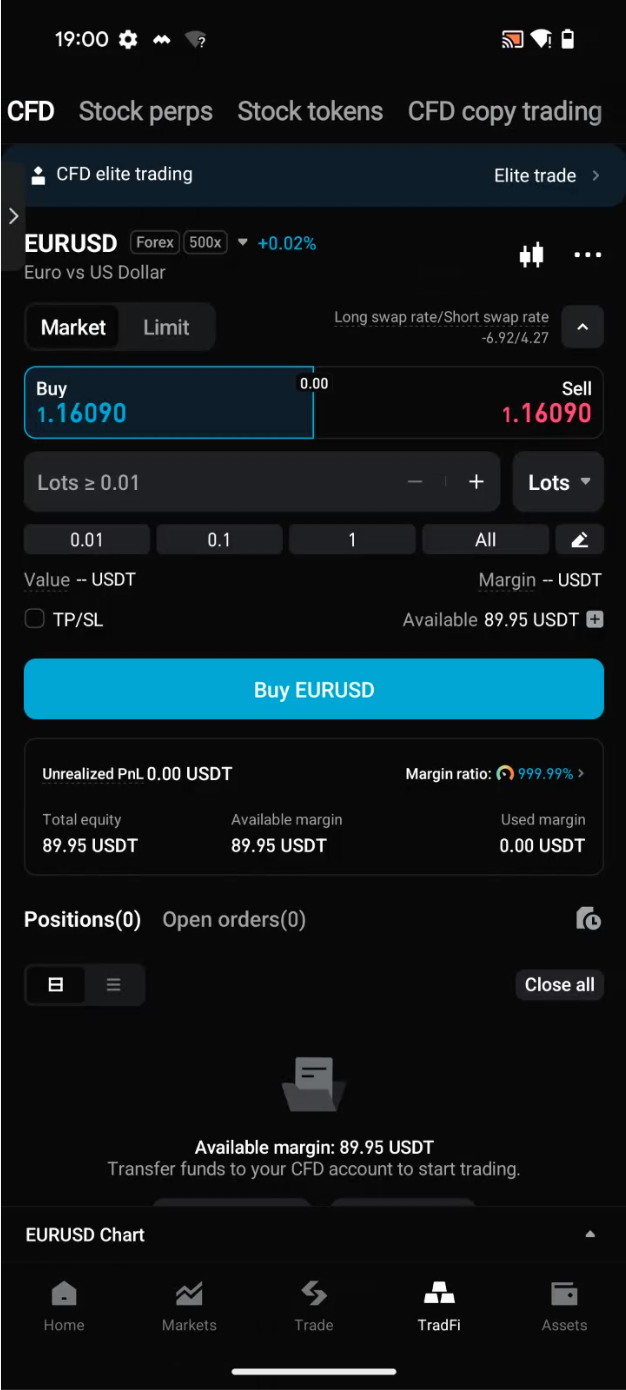
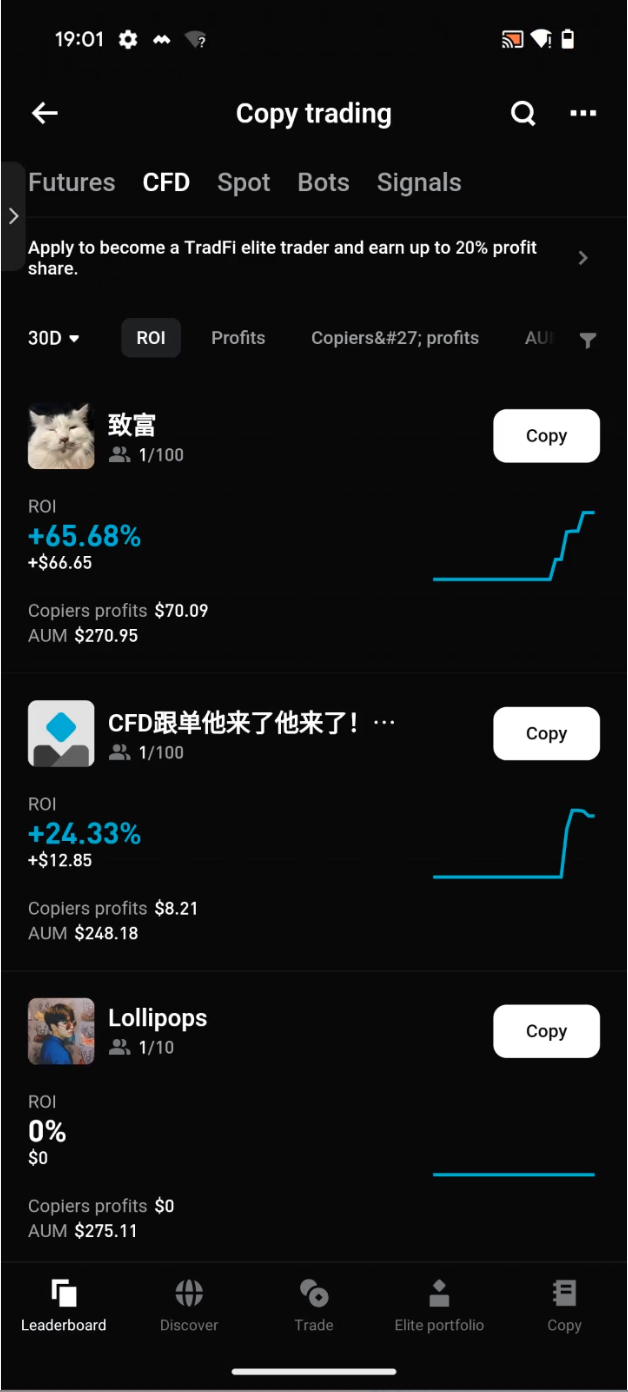
Step 1: Locate the portal
Open the Bitget app → tap
TradFi at the bottom → tap
CFD Copy Trading at the top → go to the
CFD tab among the leaderboards in the copy trading hub → tap
Become an Elite Trader in the top banner.
 |
 |
Step 2: Complete identity verification
If you haven't completed the required verification, the system will redirect you to the identity verification page. Once verification is complete, you can continue creating your elite portfolio.
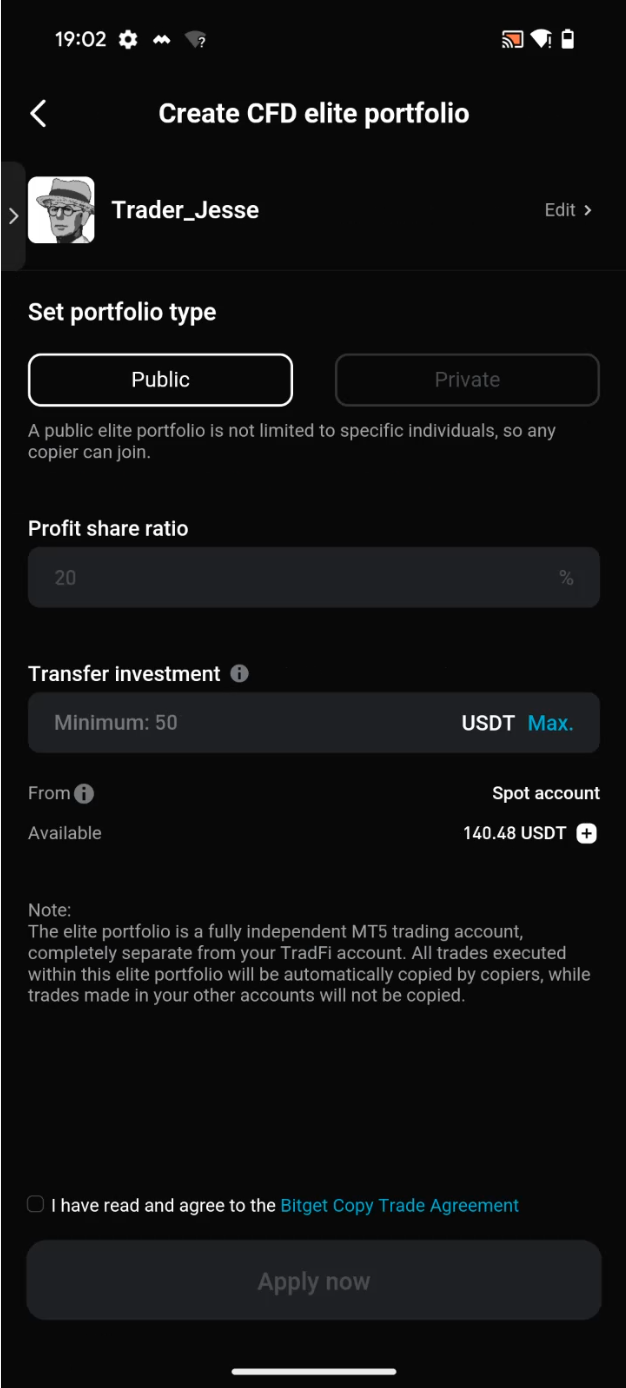
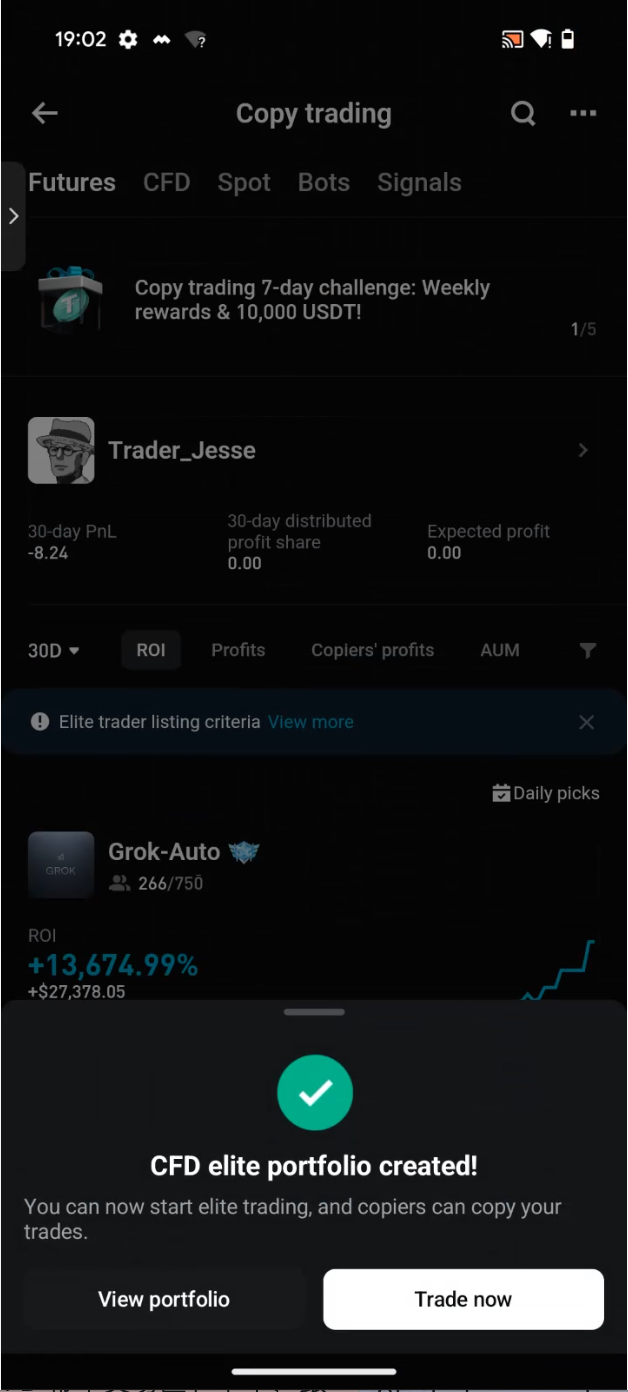
Step 3: Create a CFD elite portfolio
-
Minimum investment: 100 USDT (transfer from your spot or funding account)
-
Default maximum profit share ratio: 20% (This ratio increases automatically as you level up as an elite trader. High-performing KOLs may contact their dedicated BDs to raise it to up to 30%)
-
Only USDT transfers are supported
-
You will receive an email notification once creation is complete
 |
 |
Step 4: The system automatically generates your MT5 elite trading account
No manual setup is required. The system will automatically create and bind a dedicated MT5 account for CFD elite trading in just
3 seconds. If you want to use the MT5 desktop client, you will need to reset your password in
Elite Trading Zone >
Features >
CFD Information before logging in for the first time.
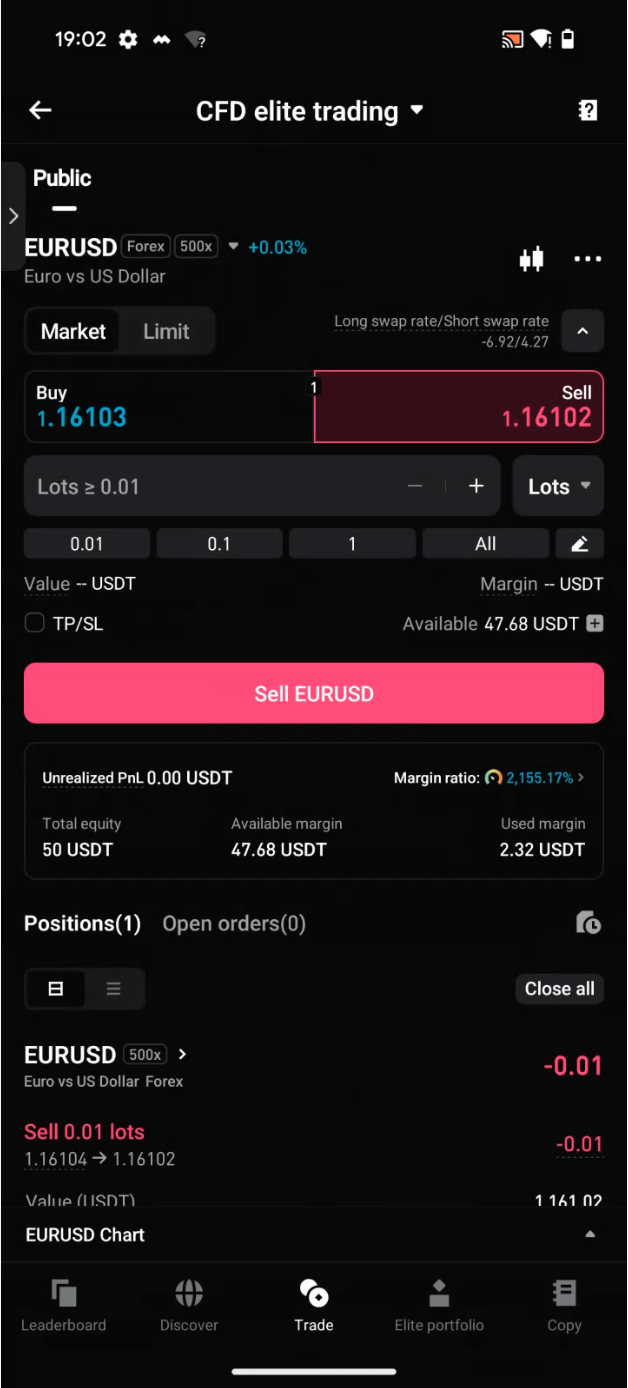
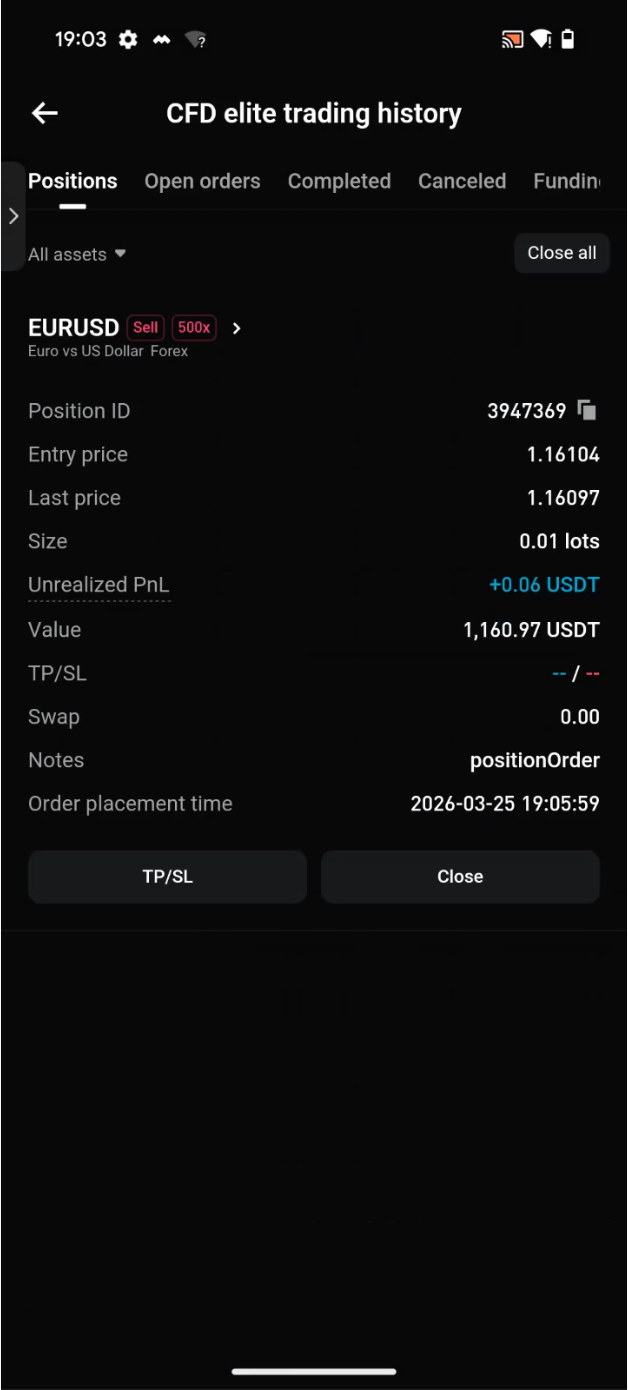
Step 5: Place orders in the CFD elite trading zone
Go to
Copy Trading Hub >
Trade or
TradFi >
CFD >
CFD Copy Trading to start trading.
Only orders placed in the
Elite Trading Zone will be copied by copiers. Trades placed in your main account will not be affected.
 |
 |
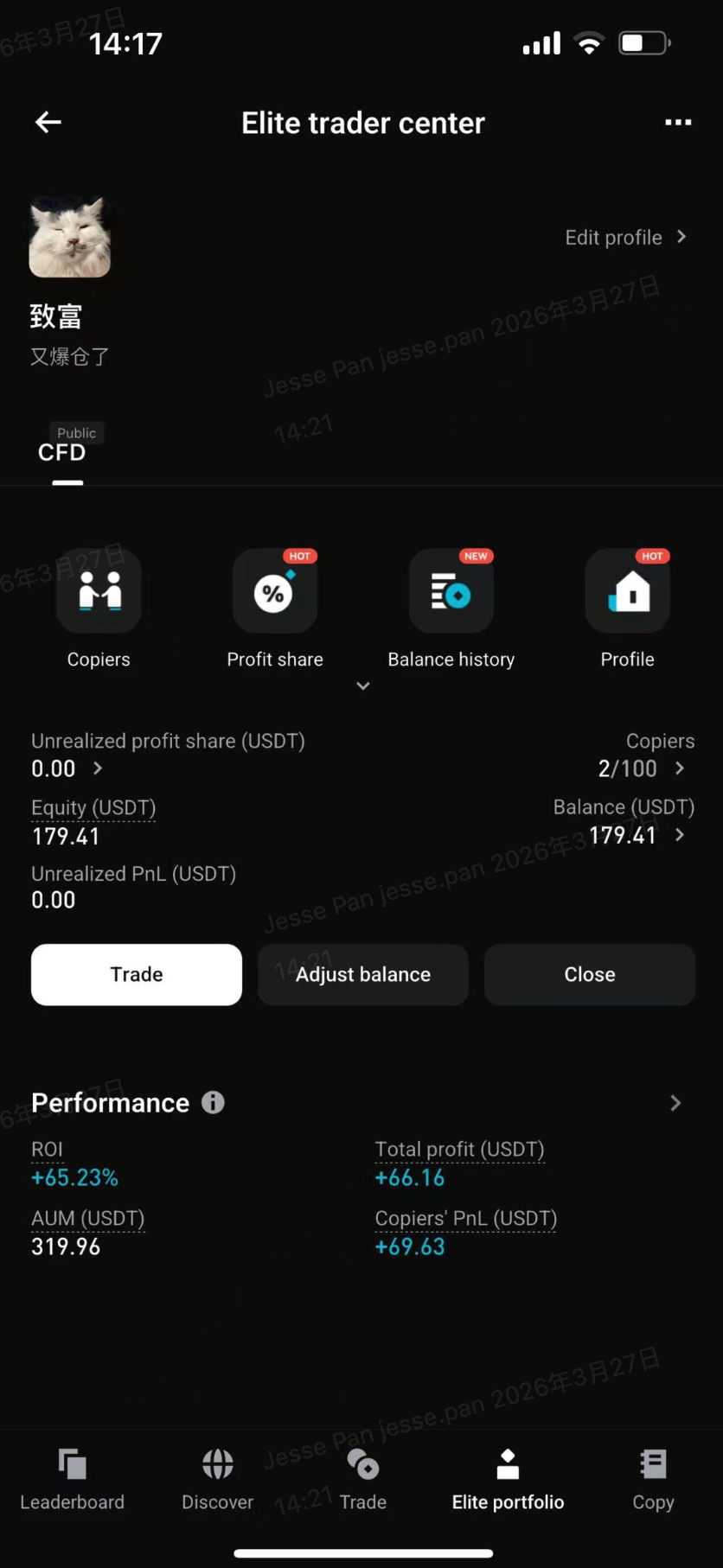
Step 6: Manage your elite portfolio
In the
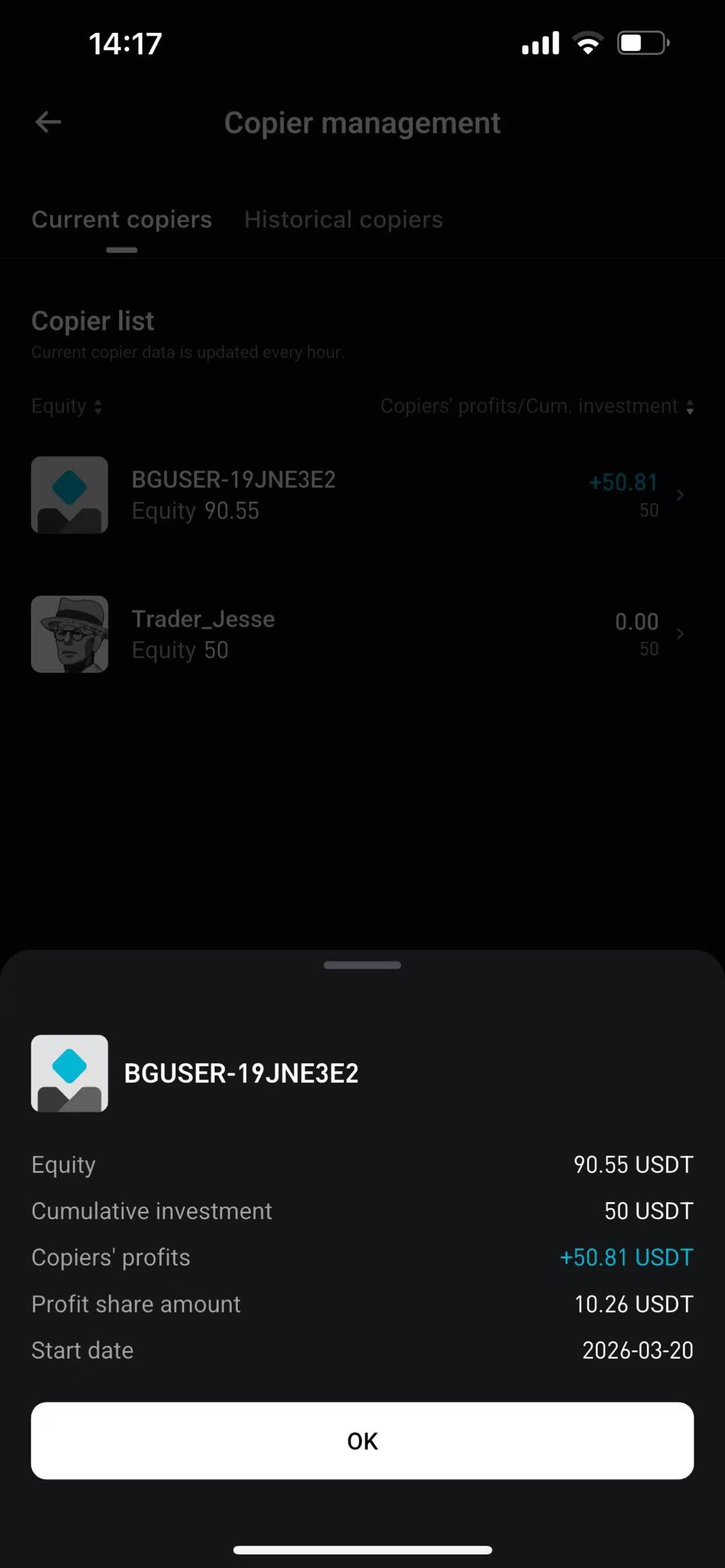
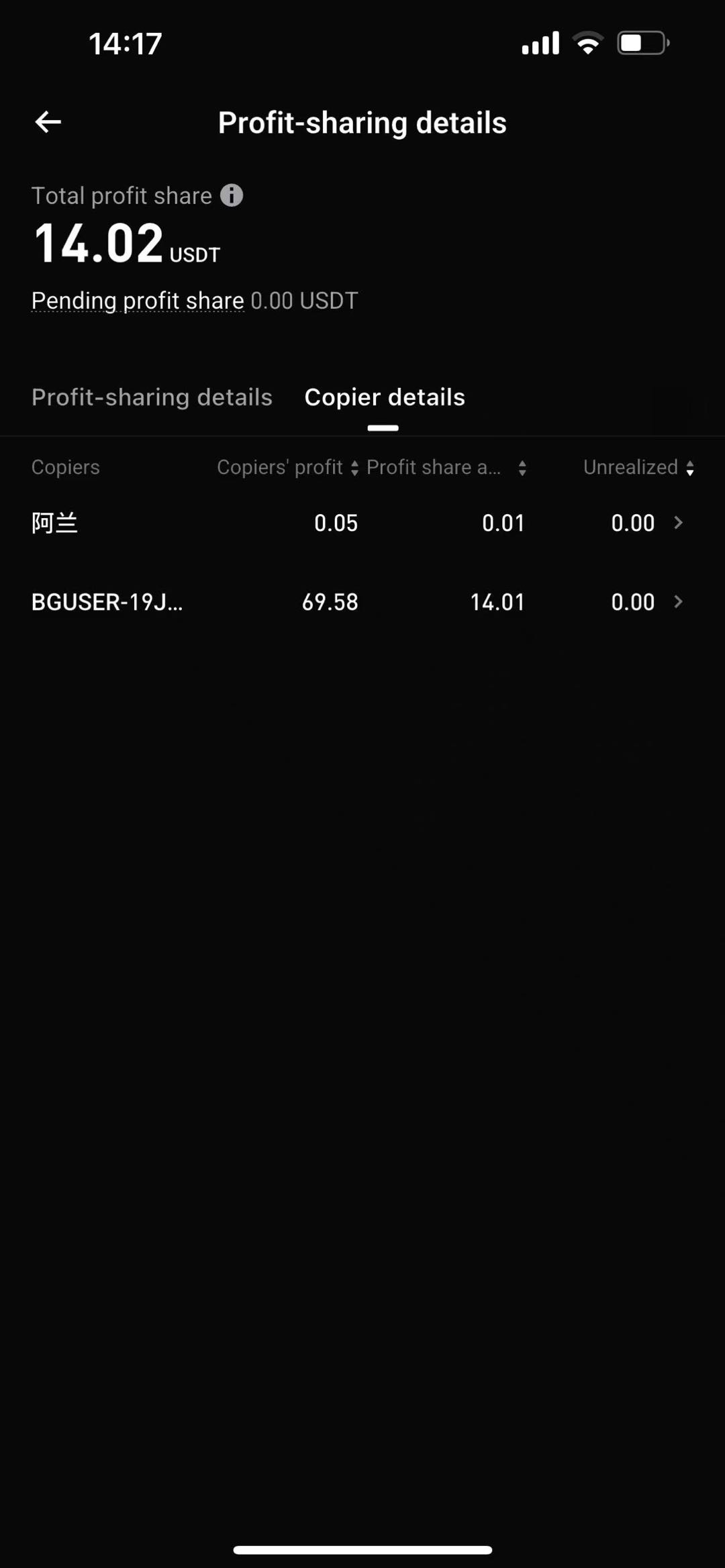
Elite Trader Center, you can view the following metrics:
-
Profit share records and unrealized profit share amounts (updated hourly)
-
Number of copiers and details
-
ROI, total profit, and assets under management (AUM)
-
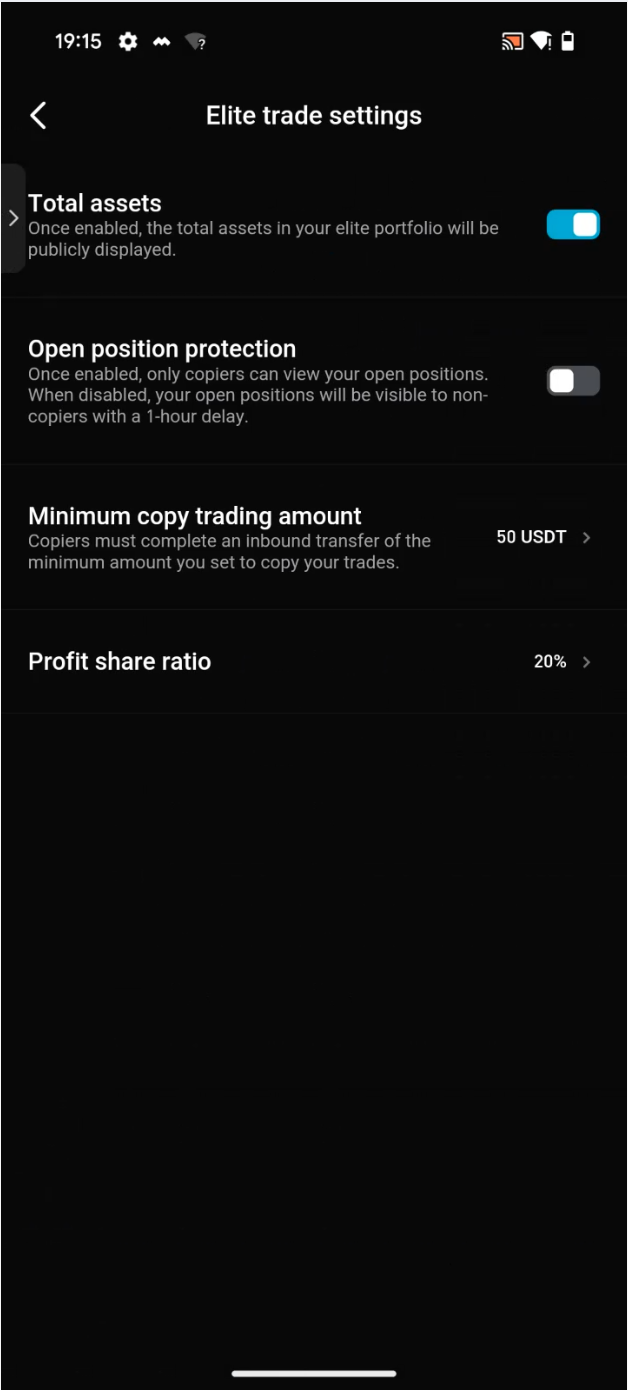
You can adjust the profit share ratio, minimum copy trading amount (50–5000 USDT), and position protection settings at any time
Elite traders can close an elite portfolio at any time. After a portfolio is closed, the corresponding MT5 account will be archived, and you can create a new portfolio immediately. A new portfolio starts with a fresh set of performance statistics, with no historical data carried over, making it easier to restart and optimize your track record.
 |
 |
 |
 |
3. CFD copier guide
Step 1: Find the CFD copy trading leaderboard
Open the Bitget app → tap
TradFi at the bottom → tap
CFD Copy Trading at the top → select the
CFD tab among the leaderboards in the copy trading hub.
First-time users will be prompted to complete identity verification. Users who have not yet completed verification will be guided through the process automatically.
|
|
 |
Step 2: Browse elite traders
You can sort and filter by the following criteria:
-
ROI / total profit / AUM / number of copiers
-
Advanced filters: Set value ranges for more precise matching
|
 |
Step 3: View an elite trader's profile
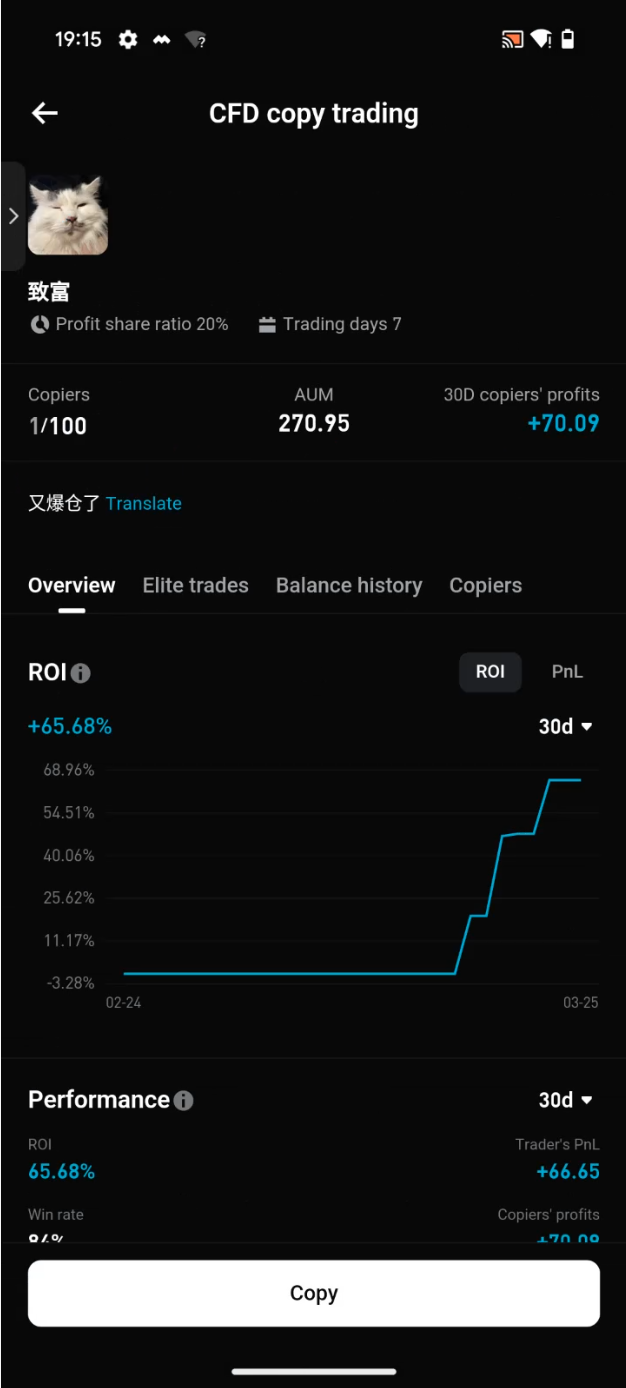
Tap any elite trader to view detailed trading performance data, including historical PnL charts, open positions (shown in real time or with a one-hour delay), and the overall PnL performance of their copiers.
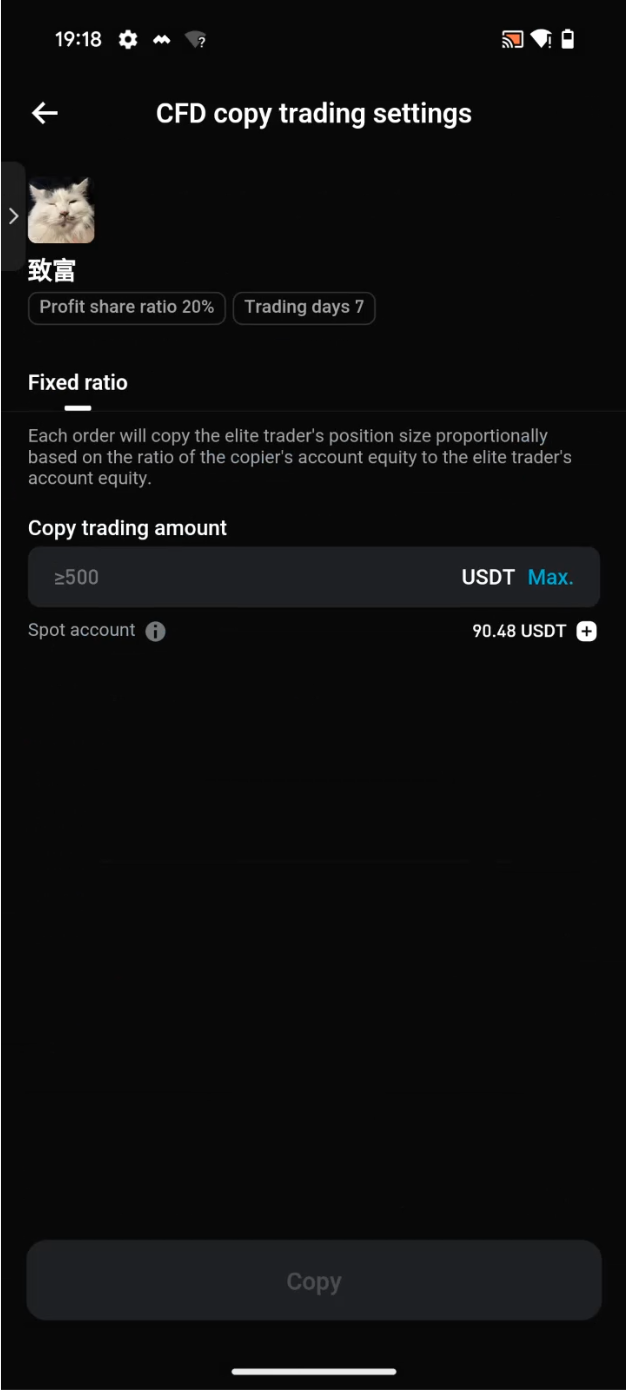
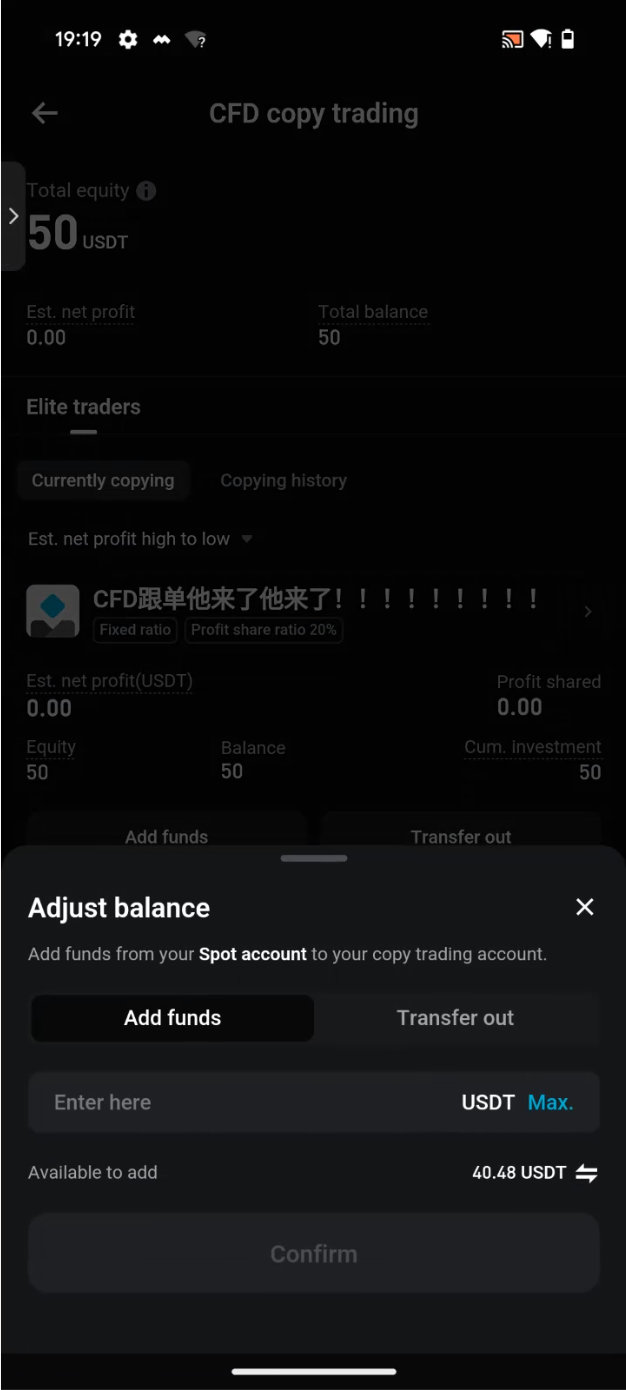
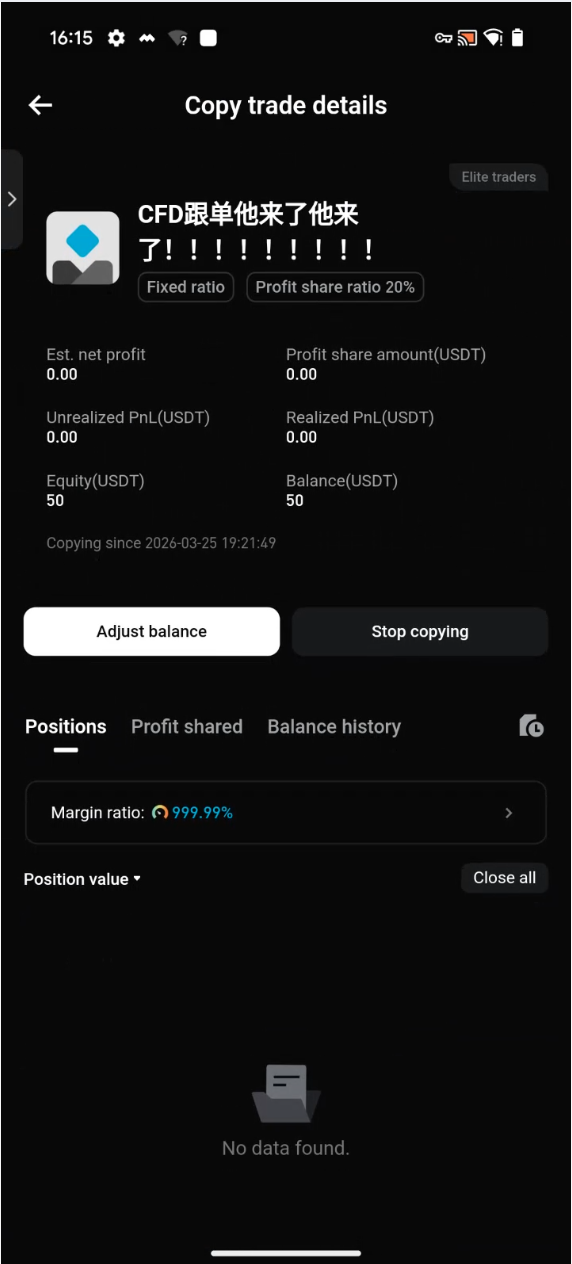
Step 4: Start copy trading
-
Minimum copy trading amount: 50 USDT (set by the elite trader, capped at 5000 USDT)
-
Review the profit share ratio, and select Copy to confirm
-
Transfer funds from your spot or funding account to your copy trading portfolio
|
|
|
 |
Step 5: View your copy trading profits
View the latest PnL and profit share records in
Elite Trader Center >
Copiers or
Assets >
CFD Copy Trading. Data is updated hourly.
4. Profit share rules
Bitget CFD copy trading uses a
high-water-mark (HWM) profit share mechanism, under which profit share applies only to newly generated profits, ensuring fair and transparent profit distribution.
-
Profit share settlement cycle
-
Regular settlement: Profit share is settled automatically each day at 12:00 AM (UTC+8), provided the copier account has no open positions.
-
Immediate settlement: Triggered when a copier stops copying or an elite trader closes an elite portfolio.
-
-
Calculation logic
-
Total PnL (HWM) = realized net PnL (order PnL + fees + overnight interest) + unrealized PnL (floating PnL on open positions + overnight interest)
-
PnL already settled for profit share: Any amount already settled will not be included again in future settlements
-
PnL awaiting profit share settlement = total PnL – PnL already settled for profit share (only new profits will be settled)
-
Pending profit share amount = PnL awaiting profit share settlement × profit share ratio set by the elite trader (capped at 30%)
-
-
Additional notes
-
Elite traders can adjust the profit share ratio for an active elite portfolio at any time. After the adjustment, the new ratio applies only to profits generated afterward. Amounts that have already been settled are not affected.
-
If a copier transfers funds out and the pending profit share exceeds 30% of account equity after the transfer, the system will temporarily freeze the relevant amount. The frozen amount will be automatically returned at 12:00 AM each day, provided the copier has no open positions.
-
Thank you for your support. We will continue improving the product to deliver a more stable and user-friendly CFD copy trading experience.
Join Bitget, the world's largest Universal Exchange (UEX)
Share